01
Remembering which stage you’re in.
How Onda helps
Your program sets your stage and Onda shows it at the top of Today. Onda never moves you to the next one.
YOUR PROGRAM’S RECOVERY PATH
Onda keeps your surgery program’s recovery path in one place: the stage they set, sips, food and supplements, how things sat, and how to reach them.

On iPhone, Onda is part of Pippa Companions. Open it and pick Onda. On Android, get Momo: the same care, with a companion.

For people in a weight-loss surgery program, following its recovery path.
Your stage, set by your program
Sip, food and supplement in a tap
No percentages or countdowns
No weight on the screen
WEIGHT-LOSS SURGERY
After bariatric surgery most programs move people through stages, from liquids to purées to soft foods and then regular textures, with small portions, sipping slowly, protein first and supplements for life. Every body tolerates foods differently, and some foods just do not sit right. Programs need to know what is going in and how it sat, but most food trackers are built around calories and weight loss, which is not the point.
Your program sets your stage and Onda shows it at the top of Today. Onda never moves you to the next one.
Sip, food, supplement and how it sat are each one tap from Today, or from the + button.
Today’s notes sit in a simple band. No percentages, countdowns or weight.
Your program’s steps and contacts open from Today in one tap, and you can always ask them.
Your stages, amounts and supplements come from your surgery program. Onda keeps the notes; it never changes the plan.
HOW IT WORKS
Your stage and plan appear in Onda.
Sips, food, supplements and how things sat.
Ask your program, or open the steps if something isn’t right.
INSIDE THE APP
Real screens from the current build, as a new account sees them.
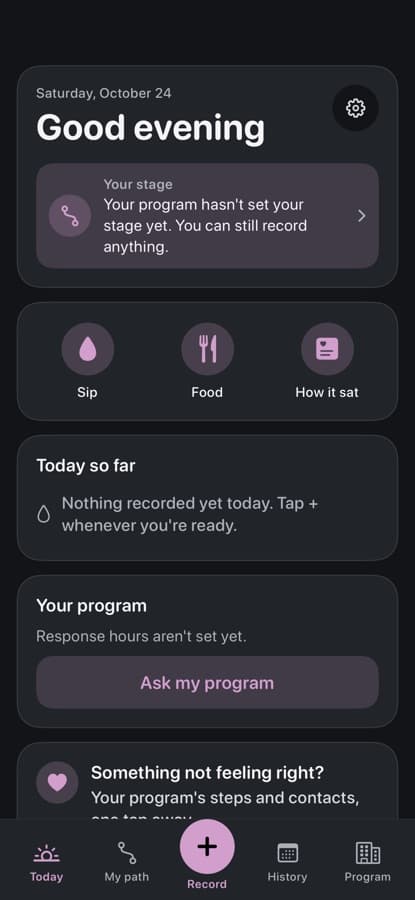
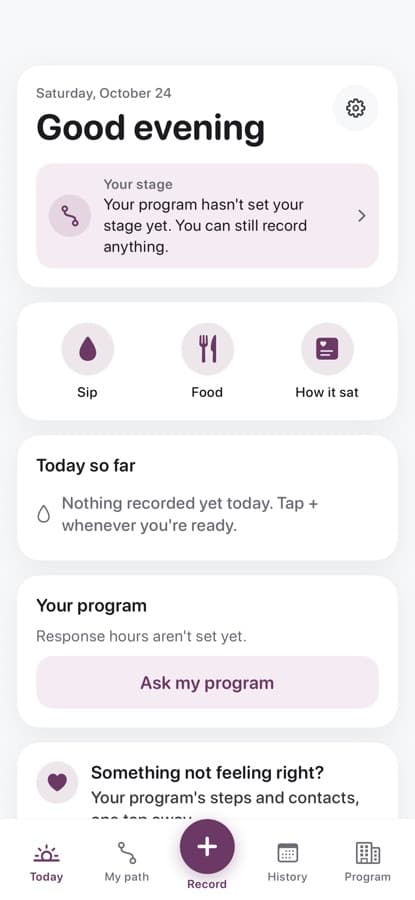
A greeting, the stage your program set, and quick buttons for a sip, food or how it sat.
Onda follows your phone’s light or dark setting, with a high-contrast option too.
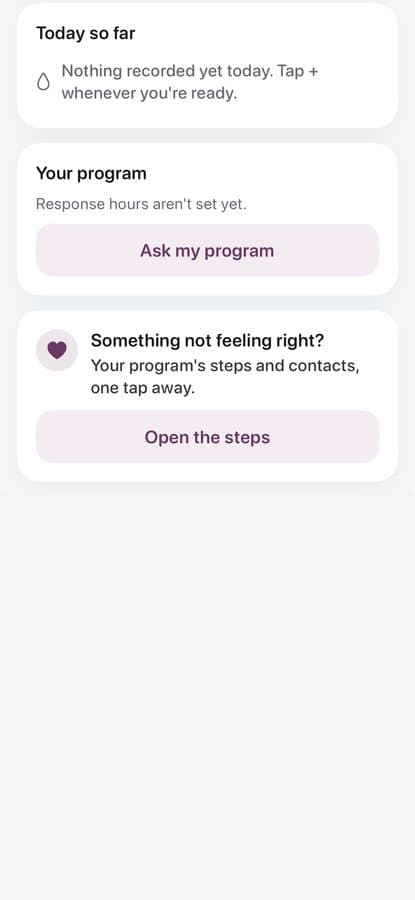
Your program’s contacts and steps for when something isn’t feeling right.
WHAT IT DOES
For people in a weight-loss surgery program, following its recovery path.
Onda shows the stage your program set. It never moves you forward.
A sip, a food, a supplement or how it sat, in a tap or two.
Today’s notes in one simple band, with no percentage or score.
Response hours, a call button when your program adds one, and a way to ask.
PRIVACY
Nothing goes to a care team unless you connect to a participating program. Once you connect, they can see what you log in the app, and you can stop sharing at any time.
Meal photos are kept on your device. Onda has no AI chat and no AI food naming. You can delete your account and data at any time.
We do not sell your data or show ads. Read exactly what we collect in our policies.
FAQ
No. On iPhone, Onda is a program inside Pippa Companions. Download Pippa Companions, open it and pick Onda. Onda isn’t on Android yet. On Android, Momo covers the same care, with a companion.
No. Onda does not set food amounts, change your program phase, recommend supplements, or give medical advice. Your program decides those.
Only once you connect to a participating program with a code or invite. After that they can see what you note in the app, and you can stop sharing at any time. Nothing is watched in real time.
No. The app does not monitor your notes in real time. If you need urgent help, call 911 or your local emergency number.
The app is free to download. Noting, asking for help, your care team and your history never depend on a payment.
PIPPA COMPANIONS
On iPhone, Onda lives inside Pippa Companions: one app with a program for each kind of care. On Android, each companion is its own app on Google Play.
Pippa Companions has a program for each kind of care, all in one app on your iPhone.
The first time you open it, choose your program from a home screen of icons. Press and hold an icon to see what it’s for.
Each program keeps its own account and its own notes.
Pro is optional. One Pippa Companions Pro subscription covers every program.
Hydration and POTS
Diabetes
Bariatric surgery
 MomoCompanionOndaYou’re here
IBS and gut symptoms
After surgery or new meds
Cancer treatment
Older adults
Eating recovery
Companion programs come with a friendly character. Plain-style programs have the same care tools, without one.
A 15-minute walkthrough of Onda and the care-team dashboard, with your program's workflow in mind. No slides, just the product.
Here as a patient? Take your time. Everything in Onda is optional, and logging is free.
On iPhone, Onda is part of Pippa Companions. Open it and pick Onda. On Android, get Momo: the same care, with a companion.

Onda keeps your surgery program’s recovery path in one place: the stage they set, sips, food and supplements, how things sat, and how to reach them.
On iPhone, Onda is part of Pippa Companions. Open it and pick Onda. On Android, get Momo: the same care, with a companion.


